🧑‍🏫 iCherub Staff App

The classroom tool
staff actually want to use

SmartCheck QR attendance, InstaMessage™ with read receipts, and one-tap photo sharing — everything a teacher needs to run the day, without leaving the classroom.

💰 Free for every staff member
No setup required
🔒 Enterprise-grade security
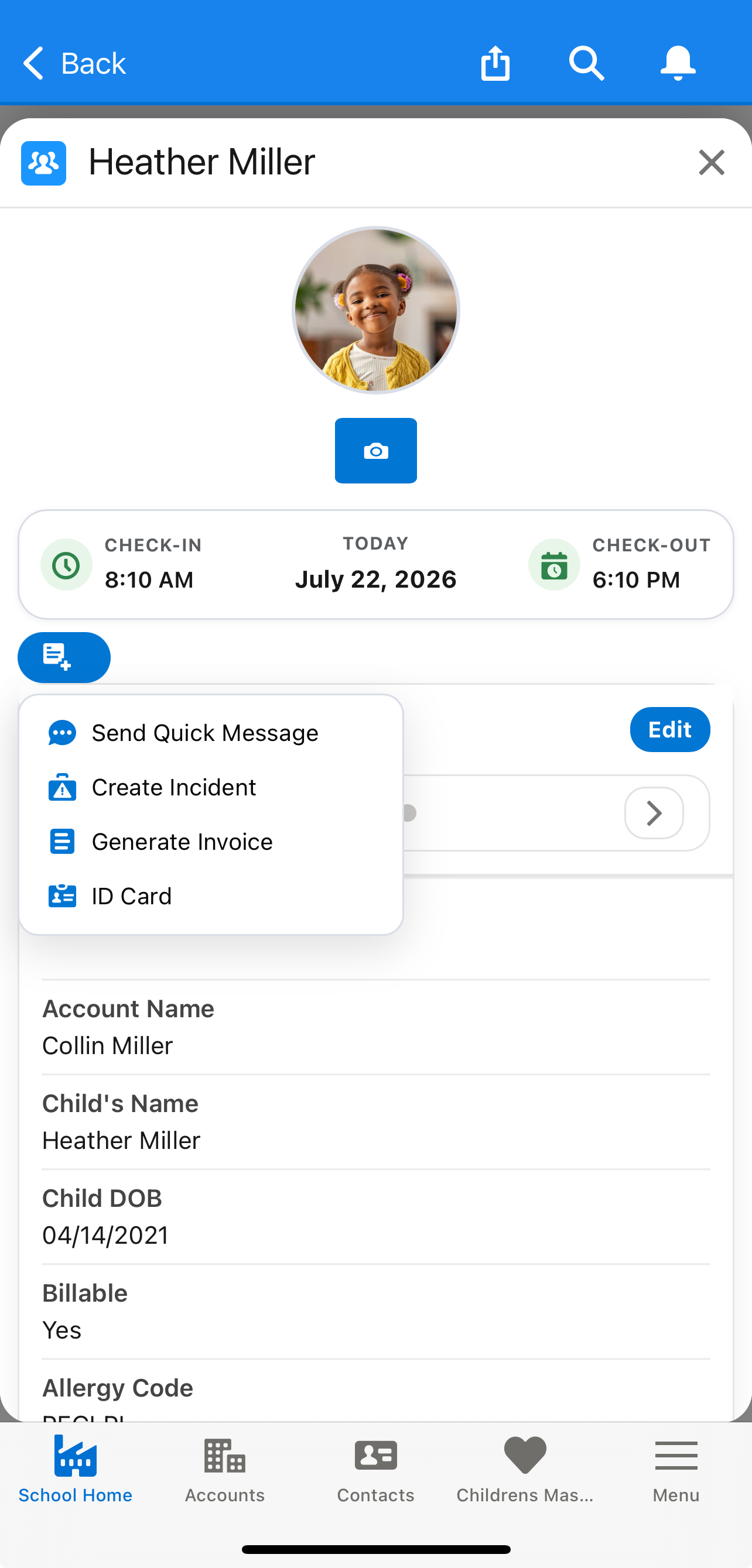
iCherub Staff App classroom dashboard
📱

iPhone screenshot
placeholder

Drop in iCherub Staff App
classroom dashboard screen here
📲 Free download — iOS & Android
🧑‍🏫 Every teacher at your center, equipped
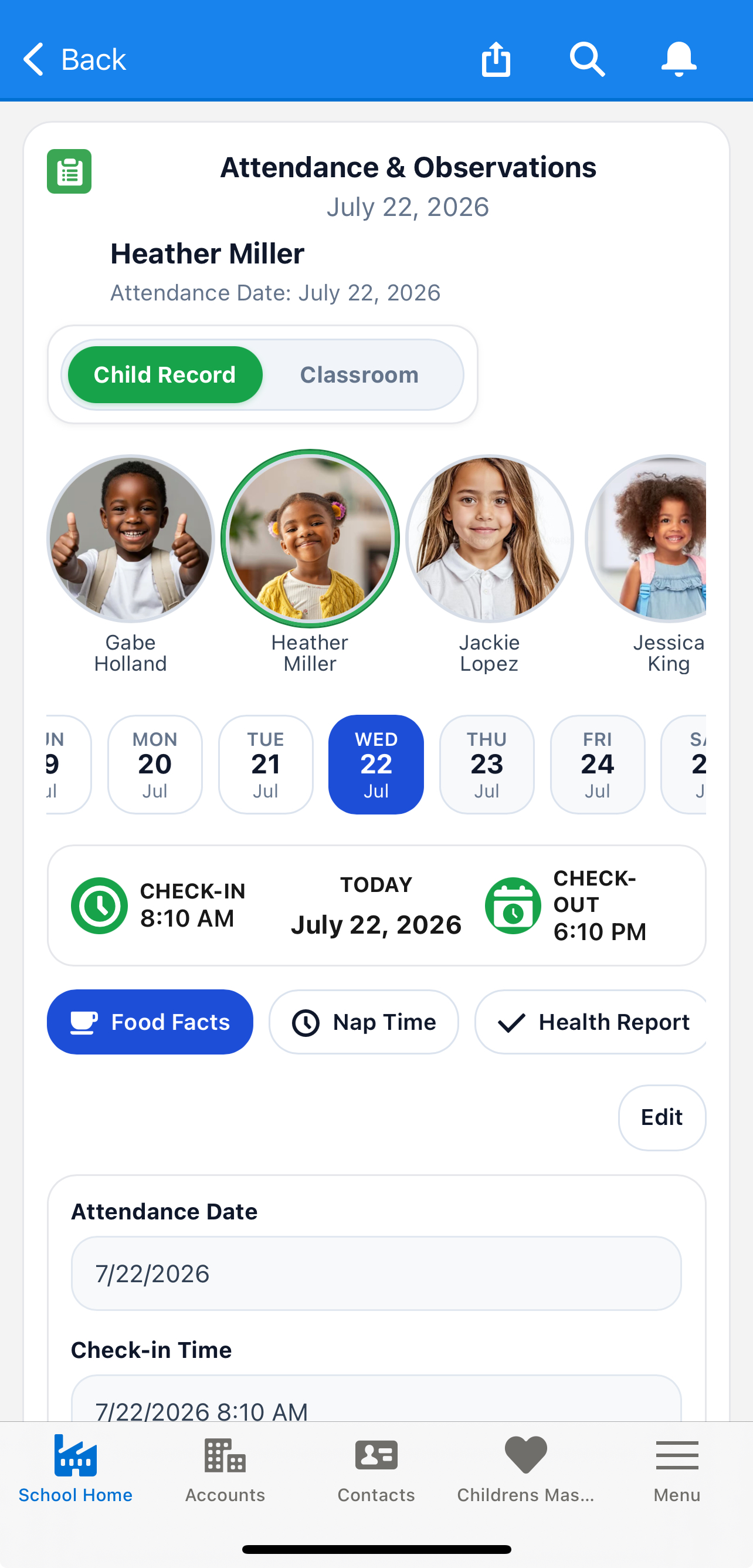
📋 SmartCheck QR attendance built in
🔒 Enterprise-grade secure messaging
Feature 01

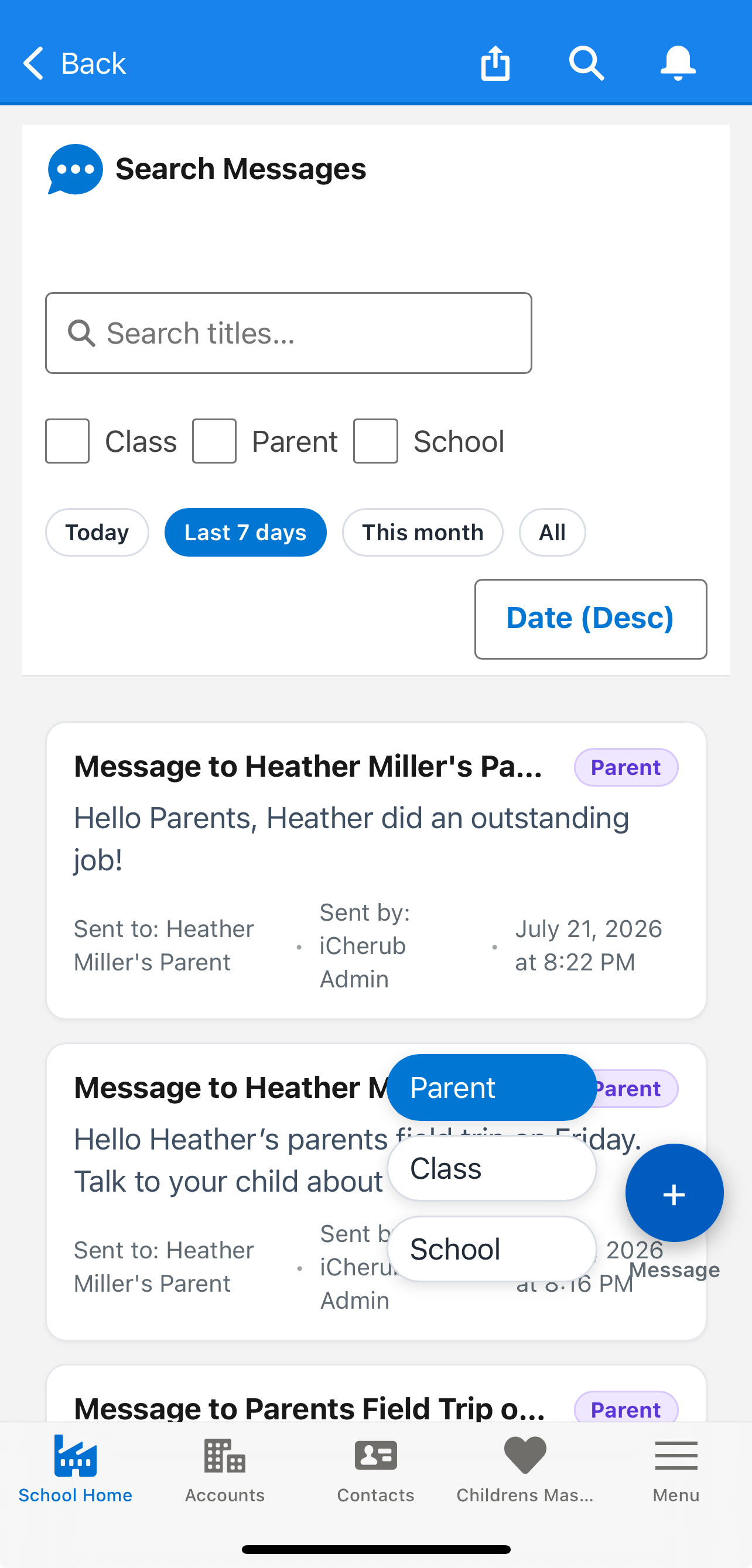
InstaMessage™ — send it once, know it landed

No more phone tag, no more wondering if a parent saw the allergy note. InstaMessage™ is iCherub's proprietary messaging system, built for the accountability classroom communication demands.

✓✓
Read receipts on every messageKnow exactly when a parent opened your message — critical for allergy alerts and time-sensitive notes.
📄
Document sharing built inSend permission slips, newsletters, and forms as PDF, Word, Excel, or PowerPoint — right in the chat.
📢
Message one family or the whole roomBroadcast to a classroom or reach one parent directly — from the same unified inbox.
Staff InstaMessage screenshot
💬

InstaMessage™ screenshot
placeholder
Feature 02

Share the day in seconds, not minutes

Snap a photo, tag the room, send. Every family gets the update instantly — no separate app, no uploading to a desktop after your shift.

📸
Unlimited photo & video uploadsEvery photo is included in your center's subscription — nothing locked behind a paid tier.
🗓️
Log naps, meals & milestonesDaily observations organized in one scrollable feed, tied to each child's profile automatically.
👶
Whole-room or one childPost to an entire classroom feed or a single child's profile — whichever the moment calls for.
Staff photo upload screenshot
📱

Photo upload screenshot
placeholder
Feature 03

Check in a full room in under a minute

SmartCheck QR turns attendance into a scan. No sign-in sheets, no end-of-day data entry — ratios and rosters update themselves in real time.

📱
Contactless QR check-in/outScan on any iPad — parents, staff, and visitors all logged automatically.
👥
Real-time room ratiosRatios update the moment a child checks in or out — no manual headcounts.
🪪
Staff & visitor credentialsTrack staff clock-in/out and visitor logs from the same screen.
SmartCheck QR attendance screenshot
📱

SmartCheck QR screenshot
placeholder
Inside the App

Every screen, built for staff

A quick look at the app your teachers will use every day.

📋
SmartCheck QR
screenshot
Check-In
Contactless QR attendance
💬
InstaMessage™
screenshot
Messages
Read receipts included
📸
Photo Upload
screenshot
Photos
Share the day instantly
👥
Room Roster
screenshot
Roster
Real-time ratios & attendance
🔔
Notifications
screenshot
Alerts
Shift & task reminders
Getting Started

Ready for your first shift in under 5 minutes

No IT department needed. Here's how a staff member gets started.

1
Get Invited
Your director sends a one-click invitation by email when you're added to the team.
2
Download the App
Free on the App Store and Google Play. Sign in with your invitation link.
3
Set Up Your Room
Confirm your classroom roster and set your notification preferences.
4
Run Your Day
Check in your room, message families, and share photos — all from the same app, every day.
Stay In The Loop

Know the moment it happens

Real-time push notifications keep your whole team in sync throughout the day — no need to open the app and check.

Room ratio alert

Pre-K room is at capacity — 1 staff needed to check in

8:14 AM
💬
New message from a parent

"Can Emma stay for extended care today?"

2:41 PM
🧾
Shift reminder

Your shift starts in 30 minutes — Pre-K room

9:00 AM
Staff Voices

What teachers and directors say

Loading reviews…
Common Questions

Staff FAQ

Is the iCherub Staff App free?+
Yes — the app is completely free for staff to download and use. Your center covers the platform subscription; there is never a separate charge to teachers for using the app.
How do I get access to the app?+
Your director sends a one-click email invitation when you're added to the team. Tap the link, download the app from the App Store or Google Play, and you're connected instantly.
Can I use the app on an iPad in my classroom?+
Yes. The Staff App runs on iPhone, Android, and iPad — most centers keep a shared iPad by the door for SmartCheck QR check-in.
Can multiple staff share access to the same room?+
Yes. Your director can add every staff member to a classroom, and each person gets their own login with role-based access to messaging, check-in, and photos.
How do read receipts work?+
When you send a message through InstaMessage™, you'll see a confirmation the moment the parent opens and reads it — critical for allergy alerts and time-sensitive notes.
What if my center doesn't use iCherub yet?+
Ask your director! iCherub offers an affordable $1/day Lite plan for smaller centers and home daycares, and a full-featured plan with transparent, published pricing — so switching is easier than they might expect.

Your staff are going to love this.

Ask your director about iCherub, or if you run a childcare center, see the full platform in a live demo.

App Store Google Play

Run a childcare center? Request a free demo →